Reporting a Deer Through Virginia’s App
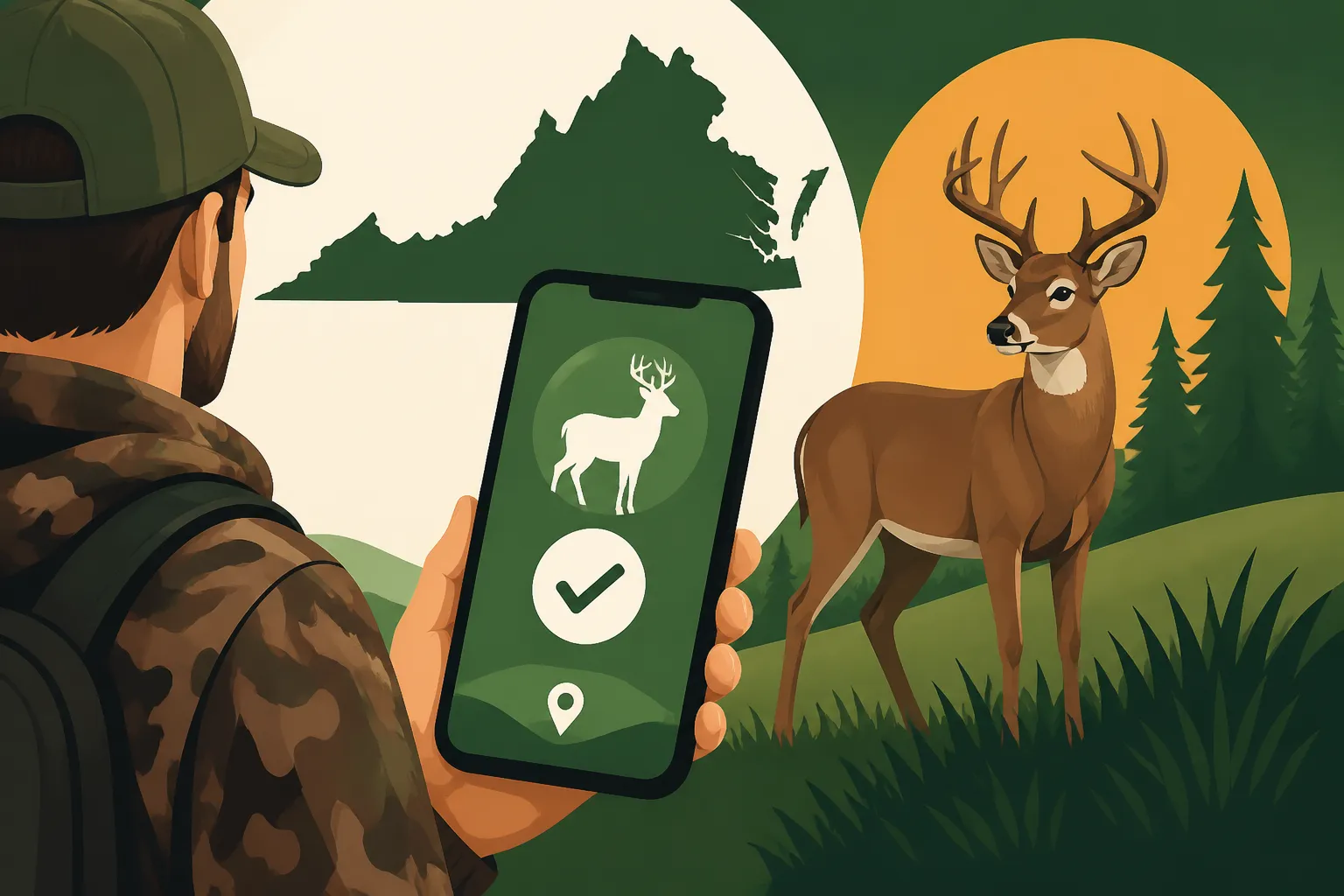
It can be incredibly frustrating after a successful hunt, when your adrenaline is still pumping and all you want to do is celebrate and start the butchering process, to then have to wrestle with official requirements. Reporting your deer harvest accurately and promptly to the Virginia Department of Wildlife Resources (DWR) isn't just a legal obligation; it's a vital part of wildlife management. Thankfully, the DWR’s mobile app has streamlined this process significantly, turning what used to be a potential hassle into a quick, straightforward task right from your phone.
The Importance of Accurate Deer Reporting in Virginia
For many years, checking deer was a more manual affair, involving physical check stations or phone calls that could be inconvenient, especially if you were out in a remote area or late at night. The DWR has truly moved with the times, and their official app has revolutionized how we report our harvests. This isn't just about convenience; it's about providing the DWR with real-time data that helps them manage Virginia's robust deer population effectively. Every deer reported contributes to a larger picture, influencing future season structures, bag limits, and conservation efforts.
Why Every Reported Deer Matters
Think about it: when you report your deer, you're not just crossing an item off your to-do list. You're giving wildlife biologists crucial information. They use this data to understand population trends, herd health, and the impact of hunting pressure across different regions of the state. For instance, if harvest numbers in a particular county consistently show a high proportion of young bucks, it might indicate that the local herd isn't reaching its full potential in terms of age structure, potentially leading to adjustments in management strategies or even specific regulations like antler point restrictions in certain areas. This detailed information is far more valuable than broad estimates, helping to ensure healthy deer populations for generations of hunters to come. It’s part of our shared responsibility as stewards of the land and its wildlife.
Impact on Future Regulations and Seasons
The data collected from every hunter reporting their deer directly impacts the hunting seasons and bag limits we see in subsequent years. Without accurate harvest data, the DWR would be making educated guesses, which isn't a reliable way to manage a resource as important as white-tailed deer. When you hear discussions about East Versus West of the Blue Ridge Bag Limits or why certain counties might have specific rules, much of that stems from the aggregated harvest data. This includes information on antlered versus antlerless deer, harvest dates, and location, all of which paint a picture of deer density and hunter success. The more complete and timely the reporting, the better informed the DWR's decisions will be, ultimately leading to better hunting opportunities for all of us. This is also how the DWR tracks overall Virginia Deer Harvest Records year after year.
Step-by-Step Guide to Reporting Your Deer Via the DWR App
The DWR mobile app, available for both iOS and Android devices, is designed to be user-friendly, even if you’re standing in a chilly field with shaky hands after a successful hunt. Before you even head out for your hunt, it's a great idea to download the app and familiarize yourself with its layout. While other powerful tools like GoHunt might help you with scouting and map layers to understand terrain and property boundaries, the DWR app is your go-to for the actual harvest reporting. Make sure you've also purchased your Virginia Hunting Licenses and What They Cost through the Go Outdoors Virginia platform, as your license information is tied to the app.
Pre-Hunt Preparation and App Setup
First things first, get the app downloaded from your phone's app store. Search for "Virginia DWR" or "Go Outdoors Virginia." Once installed, you'll need to log in using the same credentials you use for the Go Outdoors Virginia website where you purchased your licenses. This links your hunter profile directly to your phone, showing your current licenses and permits. It's a smart move to do this at home where you have good cell service or Wi-Fi. Also, confirm that your location services are enabled for the app, as this will help with auto-populating harvest locations, especially if you're hunting in a designated Virginia's Eighteen CWD Counties where specific reporting or testing might be required. If you've been doing some digital scouting, perhaps Using the Go Outdoors Virginia Map Tool on the main website, having the app ready on your phone makes the transition seamless.
Walking Through the Deer Reporting Process
Once you've harvested a deer, the process on the app is surprisingly quick. Here’s a general rundown of the steps you'll follow:
- Open the App and Select "Harvest Reporting": Look for the prominent "Harvest Reporting" or "Check Game" button on the app's main screen.
- Choose "Deer": You'll be presented with options for different game species. Select "Deer."
- Enter Date and Time of Kill: The app often pre-fills the current date and time, but you can adjust it if you reported later than the actual kill time.
- Select Location: This is crucial. You'll typically be asked to select the county and then, in some cases, a more specific area like a Wildlife Management Area (WMA) or National Forest land. If your GPS is enabled, it might even suggest your current location.
- Describe the Deer: You’ll need to specify if it was an antlered buck, an antlerless deer (doe or fawn), or a button buck. For antlered bucks, you'll often be asked for the number of points. Remember your How Many Bucks the Eastern Region Allows or How Many Bucks the Western Region Allows regulations when selecting these options.
- Method of Take: Indicate whether you used archery, muzzleloader, or a firearm. This is important for tracking harvest trends during different seasons like How Virginia's Season Runs Urban Archery to January.
- Land Type: Specify if it was private or public land.
- Confirmation: Review all the details you've entered. Once confirmed, the app will generate a unique confirmation number. Write this down or screenshot it immediately! This number is your proof that you legally reported your harvest.
It’s truly a testament to modern technology how easy this has become. After the report, you'll then focus on Field Dressing a Deer in Cold Weather and getting your animal processed.
Here's a quick reference table for the information you'll need handy:
| Information Required | Description | Why it's Important |
|---|---|---|
| Date and Time of Kill | When the deer was harvested | Tracks hunting pressure during specific periods. |
| County of Harvest | The specific county where the deer was taken | Critical for localized population management and CWD monitoring. |
| Land Type | Private or Public Land (e.g., WMA, National Forest) | Helps DWR understand hunter access and resource use patterns. |
| Method of Take | Archery, Muzzleloader, or Firearm | Monitors effectiveness of different hunting methods and compliance with season rules. |
| Deer Type | Antlered Buck (number of points), Antlerless Deer, or Button Buck | Key for assessing herd health, age structure, and compliance with bag limits. |
| Hunter's DWR ID/License # | Automatically linked when you log in | Ensures proper attribution to your license and harvest limits. |
Common Questions and Troubleshooting for App Reporting
Even with the best technology, sometimes things don't go exactly as planned. We've all been there: standing in a hollow with limited service, trying to get that report submitted. Don't panic! The DWR app is designed with some of these real-world challenges in mind, but knowing a few tricks can save you a lot of headache.
Dealing with No Cell Service
This is probably the most common concern for hunters, especially those of us who venture deep into the mountains of the George Washington or Jefferson National Forests, or even some of the more remote WMAs. The good news is that the DWR app often allows you to "start" a report offline. It will save the information locally on your device and then upload it automatically once you regain cell service or connect to Wi-Fi. This means you can fill out all the details right there by the deer, get your confirmation number pending, and then worry about the actual submission when you're back in civilization. Always double-check that the report went through once you have service. You can typically find a "pending reports" or "submitted reports" section within the app. Some hunters even carry a satellite communicator for emergency use, and a side benefit is that some can send short data bursts to confirm a report if absolutely necessary, though this isn't officially supported for DWR reporting.
Troubleshooting Technical Glitches and Data Entry
Occasionally, the app might glitch, or you might hit a snag with data entry. Here are a few tips:
- App Freezing/Crashing: If the app is acting up, try force-closing it and reopening. Sometimes a quick restart of your phone can also resolve minor software hiccups. Ensure your app is updated to the latest version, as bugs are often patched in new releases.
- Location Services Issues: If the app isn't accurately picking up your location, manually selecting the county is always an option. If you're hunting near a county line, be absolutely sure which county you are in before reporting. A GPS device or a mapping app like GoHunt on your phone can help you pinpoint your exact location down to the county line.
- Incorrect Data Entry: If you accidentally enter wrong information, some apps allow you to edit or retract a recent report. However, it's always best to verify before submitting. If you've already submitted and realize a mistake, contact the DWR directly as soon as possible. They can guide you through the correction process.
- Confirmation Number Glitch: In the rare event you don't receive a confirmation number or the app seems to hang, don't just assume it went through. Try resubmitting or, if you're worried about duplicate reports, call the DWR immediately for assistance. Having your Carrying Proof of License on Your Phone readily available with your ID will speed up any conversations with DWR officials.
Beyond Reporting: The Lifecycle of Your Harvest Data
Once you hit submit on the DWR app, your job is done, but the journey of that data has just begun. It flows into a larger system that informs critical wildlife management decisions, helping to ensure healthy deer populations and sustainable hunting opportunities across Virginia for years to come. This individual act of reporting is truly part of a much bigger picture.
How Your Data Shapes Virginia's Deer Management
The DWR compiles all harvest reports into comprehensive datasets. Biologists analyze trends, not just statewide, but broken down by region, county, and even by specific Wildlife Management Areas. They look at factors like the age structure of harvested bucks, the antlerless harvest rates, and the timing of the rut based on breeding data, which is influenced by hunter reports. This granular data helps them assess herd health, identify areas that might be over or under-populated, and understand how various regulations are performing. For example, if there's a specific county showing a significant decline in antlered buck harvests, it might prompt the DWR to investigate factors like disease, habitat loss, or increased predation, and potentially adjust future regulations for that specific area. This ongoing monitoring is why it's so important that every hunter participates in this process. Your data contributes to the ongoing story of White-Tailed Deer Across Virginia.
Compliance and Record Keeping for Hunters
Beyond contributing to wildlife management, prompt and accurate reporting protects you, the hunter. Virginia law mandates that deer must be reported within 24 hours of harvest, or prior to being dismembered or transported more than one mile from the kill site, whichever comes first. Having that confirmation number proves you've met your legal obligation. Keep a record of your confirmation numbers, perhaps in a dedicated hunting journal or simply in your phone's notes. This way, if there's ever a question or an audit, you have immediate proof.
Remember, the DWR app is your most convenient tool for fulfilling Virginia Deer Reporting Requirements. By using it consistently, you’re not just following the rules; you’re actively participating in the conservation of Virginia’s incredible natural resources. Whether you’re hunting early season deer on Late-Season Food Sources for Virginia Whitetails or participating in Urban Archery Hunting in Virginia Cities, the app is your reliable partner in the post-harvest process.
Disclaimer
The information provided in this guide is for general informational purposes only and is not intended as legal advice. Hunting regulations, seasons, and reporting requirements can change. Always consult the official Virginia Department of Wildlife Resources (DWR) regulations, website, or contact the DWR directly for the most current and accurate information before participating in any hunting activities.